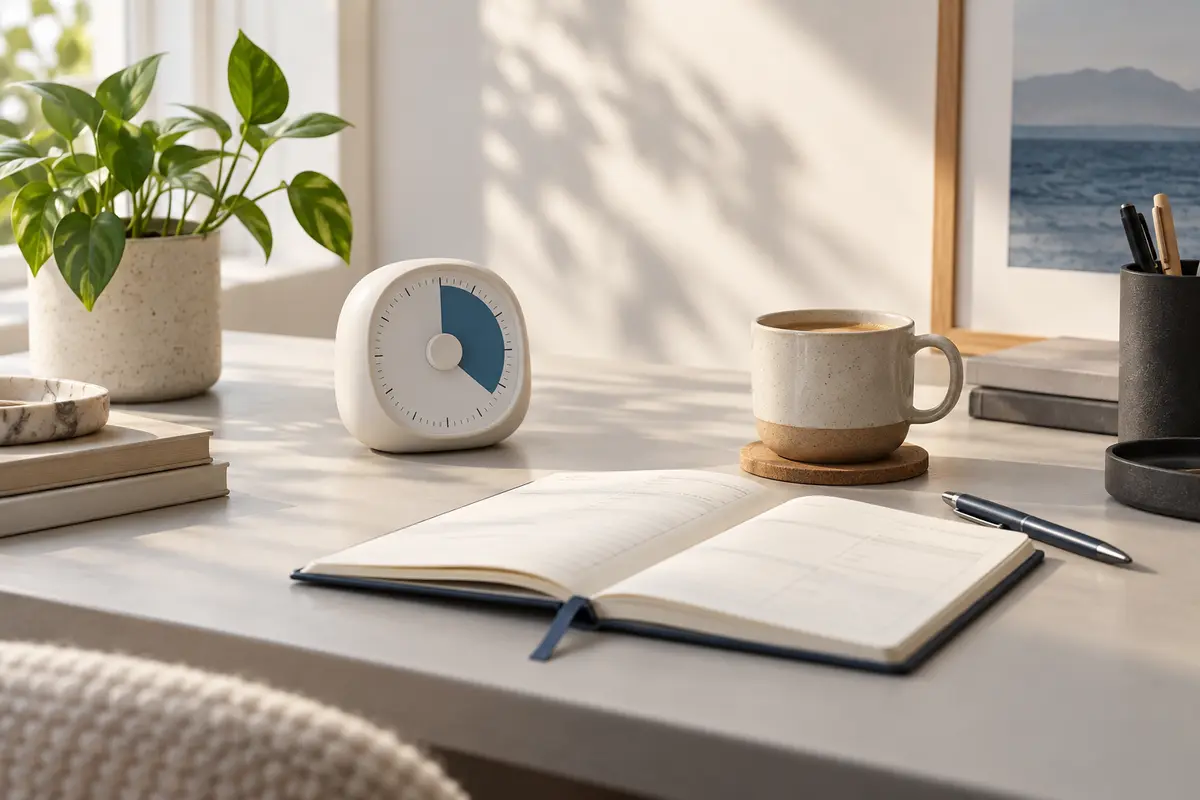
Quick verdict: The Time Timer MOD is the most broadly useful choice because its visual countdown is easy to understand without checking a phone. Choose a digital or cube timer if fast presets matter more than a large visual display.
A good focus timer does one modest job extremely well: it creates a clear boundary around the task in front of you. That can make writing, studying, planning, and routine admin feel easier to begin. The best choice is not the timer with the longest feature list—it is the one you will actually set.
The Best Focus Timers at a Glance
| Pick | Best for | Why it stands out |
|---|---|---|
| Time Timer MOD | Best overall | Its disappearing colored disk makes remaining time visible at a glance, while the removable silicone case suits a desk, kitchen counter, or study space. |
| TickTime Pomodoro Timer | Best digital option | A compact digital format and preset timing options make it convenient for focused work sessions, short breaks, and repeatable routines. |
| mooas Cube Timer | Best for quick starts | Turning a cube to a labeled side starts a preset countdown, reducing the friction between deciding to focus and actually beginning. |
| Secura 60-Minute Visual Timer | Best budget visual timer | A broad color field clearly shows time shrinking, making it useful for writing sprints, household routines, and shared workspaces. |
| Rotating Pomodoro Timer | Best simple preset timer | A rotating preset design offers a tidy way to alternate focus and rest periods without opening another phone app. |
Who This Guide Is For
This guide is for people who want a physical cue for focused work without depending on phone notifications. It covers visual, digital, and preset timers for home offices, study spaces, creative work, and everyday routines.
1. Time Timer MOD — Best overall
Its disappearing colored disk makes remaining time visible at a glance, while the removable silicone case suits a desk, kitchen counter, or study space.
- Choose it if: You want an intuitive visual countdown with minimal setup.
- Skip it if: You need multiple programmable intervals or detailed statistics.
2. TickTime Pomodoro Timer — Best digital option
A compact digital format and preset timing options make it convenient for focused work sessions, short breaks, and repeatable routines.
- Choose it if: You like quick presets and a small, portable device.
- Skip it if: You prefer a large analog display visible across a room.
3. mooas Cube Timer — Best for quick starts
Turning a cube to a labeled side starts a preset countdown, reducing the friction between deciding to focus and actually beginning.
- Choose it if: You want one-motion timing for common session lengths.
- Skip it if: You need custom minute-by-minute control.
4. Secura 60-Minute Visual Timer — Best budget visual timer
A broad color field clearly shows time shrinking, making it useful for writing sprints, household routines, and shared workspaces.
- Choose it if: You want a straightforward visual timer at an accessible price.
- Skip it if: You need silent operation in every mode; check the current listing for alert options.
5. Rotating Pomodoro Timer — Best simple preset timer
A rotating preset design offers a tidy way to alternate focus and rest periods without opening another phone app.
- Choose it if: You want a distraction-free timer with common intervals ready to go.
- Skip it if: You need app syncing, reports, or highly customized cycles.
How to Choose a Focus Timer
- Display: A visual disk communicates remaining time instantly; digits give greater precision.
- Controls: Presets are fast, while a full dial or buttons allow custom sessions.
- Alert style: Consider volume, vibration, or silent modes if you share a room.
- Portability: A compact timer is easier to move between a desk, classroom, and kitchen.
- Power: Check whether the current model uses replaceable batteries or USB charging.
A Simple Way to Use One
Write down one concrete outcome, set a 25- to 45-minute session, and keep the timer visible but outside your direct line of sight. When it ends, stop long enough to decide deliberately whether to continue, take a short break, or plan the next block. The timer supports attention; it does not replace realistic workload planning.
Build a Better Planning Routine
Pair your timer with one of our best paper planners for busy people, or use our five-minute morning planning routine to choose the task before the countdown starts.
Frequently Asked Questions
Is a physical timer better than a phone timer?
Not automatically. A physical timer is valuable when unlocking your phone tends to lead to messages, feeds, or other distractions.
How long should a focus session be?
Start with a length you can finish consistently. Twenty-five minutes is popular, but shorter sessions can reduce resistance and longer blocks may suit deep writing or design work.
Do focus timers improve productivity?
They can add structure and make time visible, but results depend on the task, environment, and person. Treat a timer as a practical cue, not a guaranteed performance tool.
Disclosure: As an Amazon Associate, Scribble-It may earn from qualifying purchases. Prices and availability can change; confirm current product details before buying.
Shop These Focus Timers on Amazon Canada
Time Timer MOD — Check price on Amazon Canada
TickTime Pomodoro Timer — Check price on Amazon Canada
mooas Cube Timer — Check price on Amazon Canada
Secura 60-Minute Visual Timer — Check price on Amazon Canada
Rotating Pomodoro Timer — Check price on Amazon Canada
Final Verdict
The Time Timer MOD is our best overall pick for an immediate, readable sense of time. TickTime suits people who prefer digital presets, while the mooas cube is the simplest way to start a common interval with one motion. Pick the interface that makes beginning feel effortless.